iPad
An IPTV player that earns the iPad display
The same app, the same catalogue and the same downloads as on iPhone — laid out for a screen where a full programme guide fits. Requires iPadOS 26.0 or later and your own IPTV service.
- Requires
- iPadOS 26.0 or later
- Price
- Free
- Same listing as
- iPhone
- Momnt account
- Not required
Why the guide is the reason to use an iPad
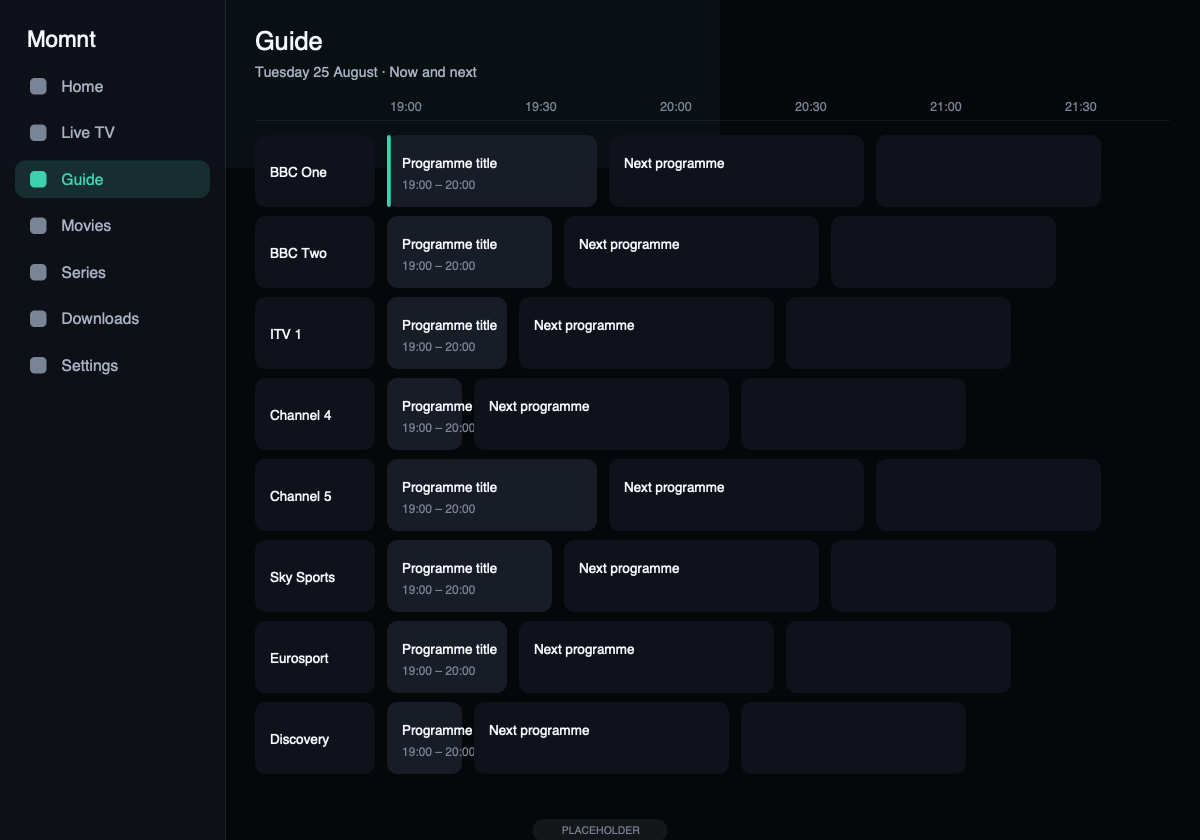
On a phone an electronic programme guide is a list you scroll. On an iPad it becomes what it is supposed to be: a grid you read. Channels down one side, time across the other, and enough of both on screen to decide what to watch without hunting.
Tap any programme for its detail, set a reminder for something later, or open a catch-up recording where your provider offers one.
What changes on the larger screen
Hours of guide, not minutes
The programme grid is the feature that benefits most from a large display. On iPad you can see many channels against several hours of schedule at once, which is what makes an EPG worth having.
Wider rails, larger artwork
Film and series posters are shown at a size where the artwork is actually legible, and category rails hold more titles before you have to scroll.
Full screen and AirPlay
Playback fills the display, and AirPlay sends it to an Apple TV or compatible television without mirroring the whole device.
The device with the storage
An iPad is usually where a long trip’s viewing gets downloaded. Set the storage limit, queue what you want over Wi-Fi, and the transfers finish in the background.
Screens
Momnt IPTV on iPad
Guide on iPadHours of schedule across dozens of channels, without scrolling sideways.
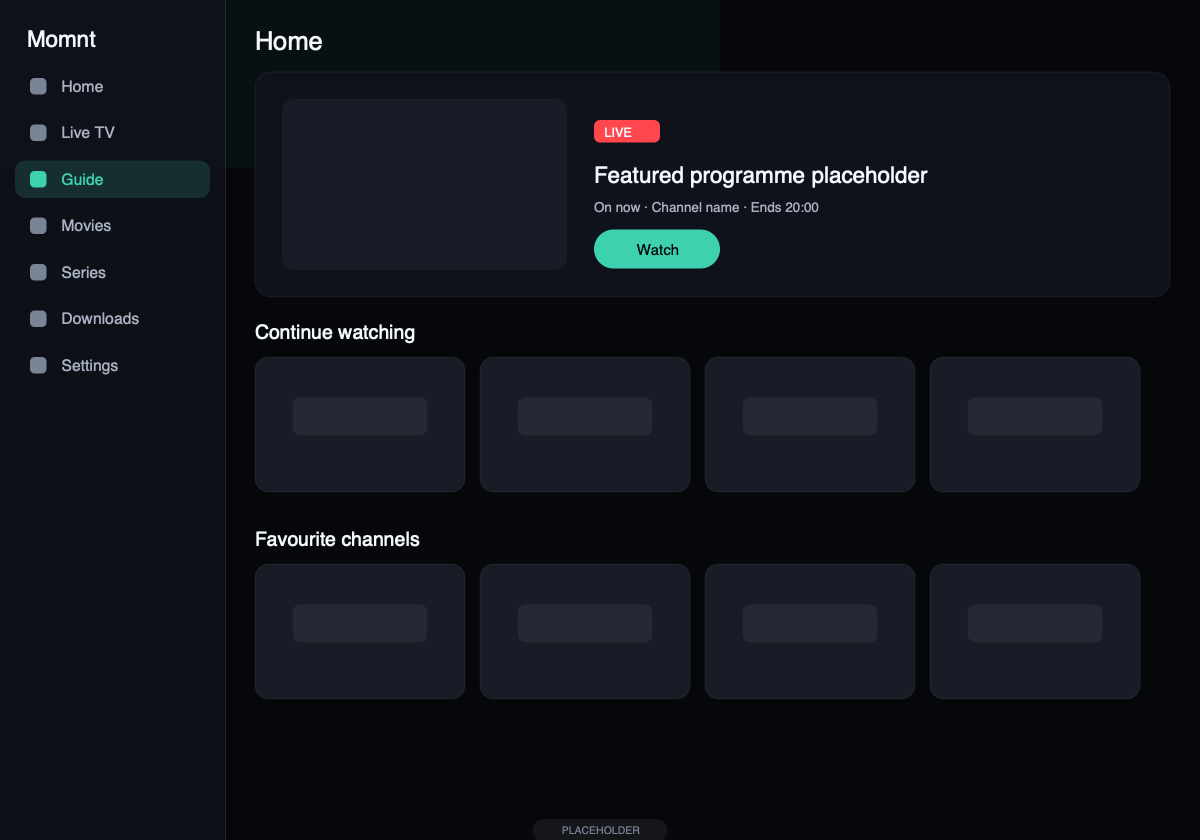
Home on iPadSidebar navigation and wider rails on the large display.
iPad questions
Can I use Momnt IPTV on iPad?
Yes. The same app runs on iPad with iPadOS 26.0 or later and adapts to the larger display: more of the programme guide at once, wider content rails and full-screen playback.
Does Momnt IPTV include an EPG?
Momnt reads the electronic programme guide your service publishes — either an XMLTV feed or the guide built into an Xtream Codes portal — and draws it as a scrollable grid of channels against time, with a detail view for each programme.
We do not supply guide data ourselves. If your provider publishes no EPG, or publishes an incomplete one, the app can only show what is there.
Can I download films or episodes to watch offline?
Yes, for on-demand content your provider serves as a downloadable file. Transfers continue in the background, default to Wi-Fi only, and stay inside a storage limit you set. Live channels cannot be downloaded — there is no file to fetch.
Do I need my own IPTV provider?
Yes. You need an active subscription with an IPTV service, and either an Xtream Codes login (server address, username and password), an M3U playlist URL, or a provider code from a service that works with Momnt.
Without one of those the app has nothing to play. If you are not sure which you have, check the email your provider sent when you signed up — it almost always contains one of the three.
Watch on the bigger screen
One free download covers iPhone and iPad. Your playlists, favourites and downloads are set up per device — there is no account syncing them, because there is no account.
Momnt IPTV is a media player. It does not provide, sell, host or resell IPTV subscriptions, channels, streams or any other content. You need your own IPTV service, obtained legally, to use the app.